
What Is a Green Screen and How Does Chroma Key Work?
What Is a Green Screen and How Does Chroma Key Work?
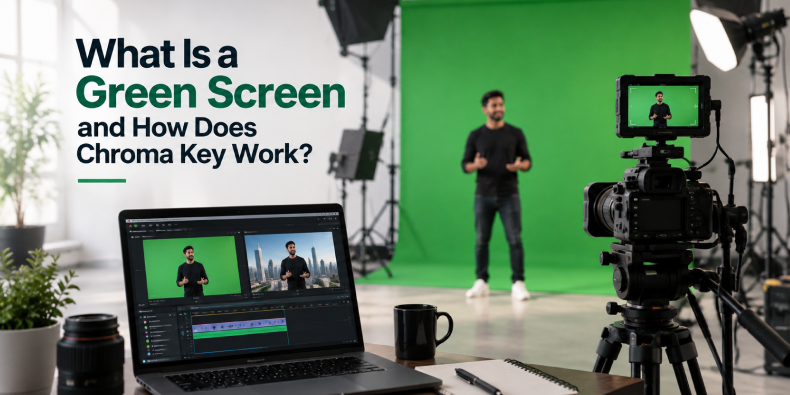
A green screen is a bright green background used in video production to replace the background digitally. Chroma key is the VFX technique that removes the green color from the footage and allows editors to add a new image, video, animation or 3D environment behind the subject.
In simple terms, the process is:
Shoot → Remove the green → Add a new background → Composite → Color grade
You have probably seen this technique in movies, advertisements, weather reports, corporate videos, YouTube content and social media reels. A person standing inside a studio can suddenly appear on a city street, inside a factory, in space or in a completely computer-generated world.
But how does the green screen actually work? Why is green used? And what makes a green screen shot look realistic
Let’s break it down.
What Is a Green Screen?
A green screen is a solid green background placed behind a subject during filming. The subject could be a person, product, machine, actor, presenter, or even an object.
For example, a company could record an employee explaining a product in a studio and later place that person inside a modern office, factory, or animated environment.
This gives filmmakers much more control over the final visual without having to physically shoot every scene at a real location.
What Is Chroma Key?)
Chroma key is the process of removing a specific color from video footage and replacing it with another visual. The word “chroma” refers to color, while “keying” means isolating a particular part of an image. Although people commonly say “green screen,” the actual technique behind it is called chroma keying.
Green is the most common color used, but blue screens can also be used depending on the subject and production requirements.
The basic workflow is:
Green Screen Footage → Chroma Key → Transparent Background → New Background → Final Composite
Professional software such as Adobe After Effects, Premiere Pro and DaVinci Resolve can be used for different parts of this process.
Why Is Green Used for Green Screens?)
Green is not chosen randomly. One of the main reasons is that bright green provides strong contrast against human skin tones, making it easier for software to separate the subject from the background. Digital cameras also capture green information effectively, which makes a bright green screen practical for video production.
However, green is not always the best choice. If the subject is wearing green clothing or the product contains important green elements, a green screen can cause problems. In such situations, a blue screen or another suitable background color may work better.
How Does Green Screen Work?
Once the footage is recorded, the editor selects the green color using a chroma key tool. The software analyzes the image and creates a matte, which tells the software which parts of the footage should remain visible and which parts should become transparent. The person or object remains visible while the green background is removed.
The editor can then place a new background underneath the subject. This process is known as compositing, which involves combining multiple visual elements to create one final image. However, removing the green is only one part of creating a convincing result.
Why Is Lighting Important?
Good green screen results start during the shoot, not in the editing room. The green screen needs to be lit as evenly as possible. Shadows, bright spots, and uneven exposure can create different shades of green, making the background harder to remove cleanly. The subject should also be lit separately from the screen.
Good lighting helps reduce problems such as:
- Rough edges around the subject
- Green patches
- Unwanted transparency
- Difficult hair extraction
- Green reflections
- Uneven keyin
A poorly lit green screen can turn a simple editing task into hours of additional VFX work
What Is Green Spill?
Green spill occurs when light from the green screen reflects onto the subject.
It is particularly noticeable around hair, shoulders, skin, and reflective objects. For example, if a person stands too close to a brightly lit green screen, green light can bounce onto their hair and create a green outline. After the background is removed, that unwanted green edge can remain visible.
VFX artists can reduce green spill using techniques such as spill suppression, edge refinement, and color correction. However, creating the right setup during filming is always better than trying to fix everything later.
Green Screen vs Blue Screen
Green and blue screens work using the same basic chroma key principle, but each has different advantages
Green screen is commonly used because it provides strong contrast with skin tones and works well with digital cameras.
Blue screen can be useful when the subject contains green elements or when green reflections could create problems.
The right choice depends on:
- Subject and wardrobe
- Lighting setup
- Camera
- Reflections
- Background requirements
- Final visual effect
So, green is popular, but it is not a universal rule.
Where Is Green Screen Used?
Green screen technology is used across many types of video production
Films and Web Series
Actors can be placed into locations that are expensive, dangerous or impossible to film physically.
Corporate Videos
Businesses can use green screens for presentations, training videos, interviews and branded content.
Product Advertisements
Brands can combine real products with digitally created environments, graphics and visual effects.
Weather Forecasts
Presenters can appear in front of maps and animated weather graphics while being filmed in a studio
Social Media Content
Creators use chroma key to place themselves in front of screenshots, videos, graphics and virtual environments.
VFX and CGI Productions
Green Screen vs 3D Animation: Which Is Better?
Green screen and 3D animation serve different purposes.
Green screen works best when you already have a real subject. Such as a person, actor or physical product and want to place them into a differntent environme.
3D animation works better when you need to create something digitally or show something that cannot easily be captured with a camera.
For example:
CEO explaining a product: Green screen
Machine showing its internal mechanism: 3D animation
Actor inside a futuristic environment: Green screen + VFX
Exploded view of a product: 3D animation
For industrial and manufacturing companies, 3D animation can be especially useful for showing internal components, product assembly, working mechanisms and processes that cannot be filmed directly.
Common Green Screen Mistakes
Even expensive cameras cannot compensate for a poorly planned green screen shoot.
Some common mistakes include:
Uneven lighting: Creates different shades across the screen.
Subject standing too close: Increases green spill.
Green clothing: Parts of the subject may disappear during keying.
Wrinkled screen: Creates unwanted shadows.
Poor exposure: Makes the footage harder to key.
Ignoring fine details: Hair, glass and transparent objects require additional attention.
Poor compositing: A clean key can still look fake if the lighting and colors don’t match the new background.
How Do Professionals Create a Realistic Green Screen Shot?
Removing the green is only the beginning.
For a realistic final shot, the subject and background need to look as though they were captured in the same environment.
Editors may need to match
- Lighting direction
- Shadows
- Color temperature
- Perspective
- Camera movement
- Motion blur
- Reflections
- Depth of field
- Overall color
This is where professional VFX and compositing make a major difference
Frequently Asked Questions
A green screen is used to digitally replace a video background, allowing editors to place a subject a person, product, or object into a different location, animated environment, or virtual set without filming there physically.
Green provides strong contrast against human skin tones, making it easier for software to isolate the subject, and digital cameras capture green information especially well. Blue is used instead when the subject includes green elements, like clothing or products
A: Green spill happens when light bounces off the green screen onto the subject, often visible around hair and shoulders. It's reduced with proper lighting distance during filming, and fixed afterward using spill suppression and edge refinement in post-production.
It depends on the goal. Green screen works best when a real subject a person or physical product needs to be placed in a different environment. 3D animation is better for showing things a camera can't capture, like a product's internal mechanism or an exploded assembly view.
Professional chroma key work is typically done in Adobe After Effects, Premiere Pro, or DaVinci Resolve, depending on the stage of editing and compositing required.
Final Thoughts
Green screen is more than a green background. It is a powerful bridge between live-action footage and the digital world.
With the right lighting, camera setup, chroma keying and compositing, a simple studio can become almost any location or environment.
And when green screen is combined with VFX, CGI, 3D animation and motion graphics, filmmakers and brands can create visuals that would otherwise be difficult or expensive to produce.
At Creative Splash, we use the right combination of live-action, VFX, animation and visual storytelling based on the project’s requirements. Whether it is a corporate film, product video, advertisement or 3D animation, the goal is simple: turn complex ideas into visuals people understand and remember.
Search
Categories
- Ad Agency (9)
- Advertising Trends (1)
- Animation (34)
- B2B Marketing (1)
- Brand Video (1)
- Construction Industry (1)
- creative splash (19)
- Explainer video (2)
- Industrial Animation (1)
- Khalbatta (1)
- Motion Graphics (3)
- Photography (5)
- product films (1)
- Short Film (2)
- Social Media Marketing (4)
- TV Commercial (6)
- Uncategorized (2)
- VFX Animation (2)
- Video (26)
- Video Marketing (1)
- Video Marketing Trends (1)
- Video Production (1)
Get A Free Quote
Recent Posts
- What Is a Green Screen and How Does Chroma Key Work?
- More Than a Backdrop: How Motion Graphics and LED Screens Bring Live Events to Life
- How 3D Animation Software Has Evolved in India: From Maya and Mudbox to Blender
- Real vs AI Reels: Which One Stops the Scroll Faster?
- Moment Marketing Explained: How Brands Use Viral Trends to Grow Online
